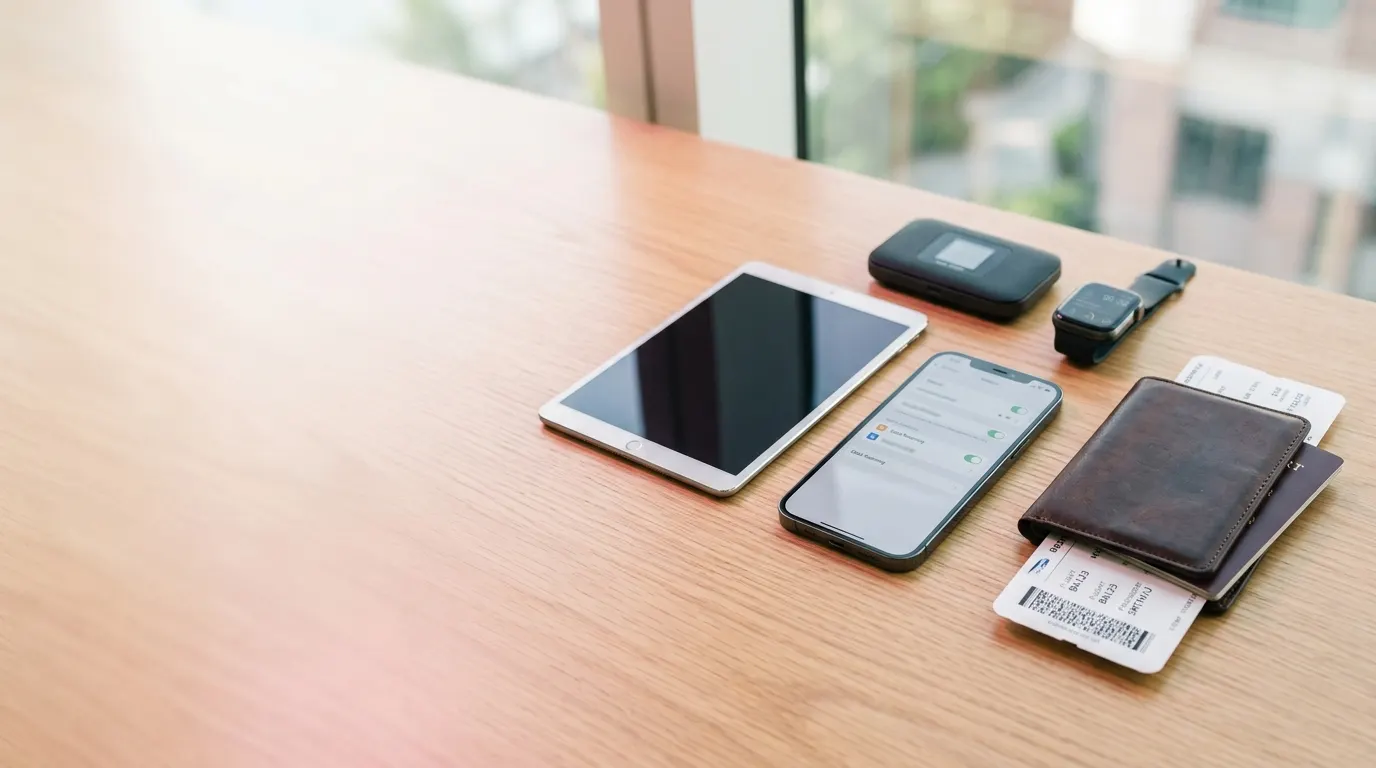
Устройства Совместимые с eSIM
Запустите Бесплатную Проверку Совместимости с eSIM на Устройстве, Которое Держите в Руке — Модель Распознаётся Автоматически, Ответ за Пару Секунд. Или Просмотрите Все 293 Телефонов, Планшетов, Ноутбуков и Хотспотов, Совместимых с eSIM
Короткий Ответ
Почти Каждый Флагманский Телефон, Проданный с 2018 Года, Поддерживает eSIM. Это Значит Каждый iPhone от XR, Каждый Google Pixel от Pixel 3 и Телефоны Samsung Galaxy от Поколения S20, Вместе с Линейкой Z Fold и Z Flip. Средний Сегмент и Бюджетные Линейки — Redmi, Poco, Moto G, OnePlus Nord — Обычно Нет, Сколько бы Они ни Стоили
Правило, на Котором Люди Попадаются, — не Модель, а Рынок. Ровно Тот же Телефон в Европе Поставляется с eSIM, а в Материковом Китае, Гонконге, на Тайване или в Южной Корее без Неё, под Тем же Именем. Единственная Проверка, Которая Всегда Верна, — Само Оборудование: Наберите *#06# и Поищите 32-значный EID. Если Он Там Есть, у Вашего Телефона Есть Чип eSIM
Проверьте Своё Устройство Автоматически
Откройте Эту Страницу на Устройстве, с Которым Собираетесь в Поездку, и Нажмите Кнопку. Это Надёжнее Поиска по Имени Модели, потому что Распознаётся Именно Тот Вариант, Который Вы Держите, а не Тот, Который Описывает Маркетинговое Имя

Предпочитаете Найти Сами? Ниже Перечислены Все Поддерживаемые Телефоны
Как Проверить Самостоятельно
На Устройстве iPhone или iPad
Откройте Настройки, Нажмите Сотовая связь и Поищите Добавить eSIM или Добавить тарифный план. Если Такой Пункт Там Есть, Ваш Телефон eSIM Поддерживает
На Android
Откройте Настройки и Найдите Раздел SIM или Сеть — Точное Название у Каждого Производителя Своё. Если Там Есть Пункт Добавить eSIM или Добавить тарифный план, Ваше Устройство eSIM Поддерживает
Наберите *#06# и Поищите EID
Наберите *#06#, как Обычный Номер, и Появится Панель с Номерами. Поищите Строку с Пометкой EID — если Она Там Есть, у Вашего Устройства Есть Чип eSIM. Отсутствие Строки EID Означает Отсутствие eSIM, что бы ни Говорило Имя Модели
На Умных Часах
Модем Есть Только у Версии Часов с LTE или Сотовой Связью. Откройте Приложение Watch на Связанном Телефоне и Поищите Раздел Сотовая связь — если Его Нет, Вы Держите Версию с Wi-Fi
Какие Телефоны Примут Дорожную eSIM
Сгруппировано по Производителю, от Самых Новых. Каждая Марка Открывается Правилом для Всей Своей Линейки — у Каких Серий eSIM Есть, у Каких Её Никогда не Было и где Прячутся Исключения, потому что Само Имя Модели Отвечает на Это Редко. Начните Печатать, и Список Отфильтруется, или Используйте Автоматическую Проверку Выше и Пропустите Список Совсем
Каждый iPhone от Поколения XR и XS Поддерживает eSIM — то Есть 2018 Год и Позже. при Покупке за Границей Важны Два Исключения. Экземпляры, Продаваемые в Материковом Китае, eSIM не Имеют Вовсе и вместо Неё Несут Два Физических Слота SIM. Каждая Американская Модель от iPhone 14 Слота SIM не Имеет Вовсе, поэтому eSIM Там Единственный Вариант. от iPhone 13 Вы Можете Держать Активными Два Профиля eSIM Одновременно
eSIM Начинается с Поколения Galaxy S20 и Тянется через Каждый Флагман Серии S с Тех Пор, плюс Складные Z Fold и Z Flip и Note 20. Серия A Разделена Ровно Пополам: у A35 и Выше eSIM Есть, у Более Старых A34 и A53 и Бюджетных Моделей A1x, A2x и M Нет. Большая Загвоздка в Том, где Телефон Куплен — Экземпляры Galaxy, Продаваемые в Гонконге, Материковом Китае, на Тайване и в Большей Части Южной Кореи, Поставляются без eSIM под Точно Тем же Именем Модели
Каждый Pixel от Pixel 3 Поддерживает eSIM, а Двойная eSIM — два Профиля Активны Одновременно — Пришла с Pixel 7. У Pixel 2 Оборудование Есть, но Он Принимал Всегда Только Профиль Google Fi, поэтому Дорожный Тариф не Потянет. Исключение — Pixel, Купленные в Гонконге, у Них Её Нет, а Американские Модели Pixel 10 Отказались от Слота SIM Полностью
eSIM Несут Нумерованные Серии и Их Варианты Pro, Ultra, T и Lite. Телефоны Redmi и Poco Почти Никогда, на чём Попадается Каждый, кто Купил Богато Оснащённый Redmi Note и Ждал Того же. Вторая Брешь — Модели Только для Китая, Например 12S Ultra
Нумерованные Флагманы от OnePlus 11 eSIM Поддерживают, Как и Складной Open. Линейка Nord Нет, а Варианты R Разделены — у 13R eSIM Есть, у 11R и 12R Нет. Региональные Коды Моделей Различаются Настолько, что Два Телефона, Продаваемые под Одним Именем OnePlus, Могут Быть Разными Устройствами
Складные Razr и Флагманы Edge eSIM Поддерживают. Линейка Moto G — безусловно Самая Продаваемая Motorola — Нет
eSIM Есть Только у Флагманов Find X и Find N. У Линеек Reno и A Нет, а Ассортимент Различается от Страны к Стране
С eSIM Поставлялось Лишь Короткое Окно Флагманов Huawei — P40, P40 Pro и Mate 40 Pro. На P40 Pro+ Люди Попадаются Чаще Всего: Старшая Модель Линейки, и Именно Она без eSIM
Флагманы Magic и Складные Magic V eSIM Несут. Нумерованный Средний Сегмент в Основном Нет
eSIM Есть Только у Флагманов Серии X. vivo Различается по Рынкам Сильнее Почти Любой Другой Марки, поэтому Одна и Та же Модель в Одной Стране Поставляется с eSIM, а в Следующей без Неё
Флагманы Xperia 1 и Xperia 5 Поддерживают eSIM от Поколения IV, а Средний Сегмент Xperia 10 от IV. Японская Xperia 10 III Lite — Единственное Более Раннее Исключение, а у Стандартной Xperia 10 III Её Нет
Региональные Варианты и Блокировки Операторов
Одна и Та же Модель в Одной Стране Поставляется с eSIM, а в Другой без Неё, под Тем же Именем. Это Безусловно Самая Частая Причина, по Которой Телефон из Этого Списка Тариф в Итоге не Примет
Материковый Китай, Гонконг и Макао
Модели iPhone, Продаваемые в Материковом Китае, eSIM не Имеют Вовсе — Их Собрали с Двумя Физическими Слотами SIM вместо Неё. Экземпляры из Гонконга и Макао Такие же. Телефоны Galaxy и Pixel, Купленные в Гонконге, Материковом Китае или на Тайване, Тоже Поставляются без eSIM, хотя Имя Модели Идентично Глобальному
Американские Модели
У Каждого iPhone от 14, Продаваемого в США, Слота SIM Нет, и Работает Он Только на eSIM. Для Поездок Это Хорошая Новость: нечего Перекладывать. Загвоздка — Блокировка Оператором: Устройство, Всё Ещё Привязанное к Оператору, Который Его Продал, Отвергнет Вторую eSIM, пока Он Его не Разблокирует
Япония, Корея и Юго-Восточная Азия
У Большинства Телефонов Galaxy, Купленных в Южной Корее, eSIM Нет, кроме Недавних Флагманов. Некоторые Модели Pixel, Продаваемые в Японии, Австралии, на Тайване и в Юго-Восточной Азии, Тоже Собраны без Неё. Если Телефон Куплен за Границей, Проверьте EID через *#06#, вместо Того чтобы Верить Имени Модели
Модели, о Которых Мы Знаем, что на Некоторых Рынках Они Поставляются без eSIM
Устройства Только с eSIM (без Слота SIM)
У Этих Устройств Слота SIM Нет Вовсе. За Границей Это Преимущество — нечего Открывать и нечего Терять — но Означает Это и То, что Местный Тариф Вы Получите Единственно через Дорожный Тариф
Устройства, Которые eSIM не Поддерживают
Если Ваш Телефон в Этом Списке, Ответа не Изменит ни Настройка, ни Обновление, ни Аксессуар — Нужное Оборудование в Него Никогда не Ставили. Это Модели, о Которых Нас Спрашивают Чаще Всего: Телефоны Как Раз до Того, как eSIM Стала Стандартом, и Линейки Среднего Сегмента, Которым Её Так и не Дали
Поездку Это не Отменяет. Тариф Может Взять на Себя Что Угодно Другое, что у Вас с Собой — Планшет, Ноутбук со Встроенным Модемом, Карманный Хотспот — и Раздать Его Телефону по Wi-Fi. Хотспот Покроет Сразу Всех, кто Едет с Вами. А Если Ничего из Этого Нет, Всё Ещё Работает Местная SIM-карта, Купленная по Прилёте
Сколько Профилей eSIM Вмещает Ваше Устройство?
Уже Купленные Тарифы Могут Просто Лежать в Устройстве. Они Ничего не Стоят и Данных не Тратят, пока Один из Них не Включите, поэтому Прошлогодняя Япония и Европа на Следующий Месяц Ждут рядом Друг с Другом, а после Посадки Вы Выбираете Нужный. между Устройствами Различается То, Сколько Их Вы Удержите и Сколько Может Работать Одновременно. iPhone Удержит Восемь или Больше, а от iPhone 13 Ведёт Два Одновременно — Именно Так Ваш Домашний Номер Принимает Звонки, пока Дорожный Тариф Несёт Данные. Числа Ниже — от Производителей, и когда Кто-то не Публикует Ничего, Мы Ставим Вопросительный Знак вместо Догадки
| Устройства | Сохранённые Профили | Активны Одновременно | |
|---|---|---|---|
| Apple | AppleiPhone Air – iPhone 17 | 8 | 2 |
| Apple | AppleWatch Ultra 2 – Watch SE | 8 | 1 |
| Apple | AppleiPad Pro 11-inch (M1) – iPad (11th generation) | 8 | 1 |
| Apple | AppleiPhone XS Max – iPhone 12 | 8 | 1 |
| GooglePixel 7a – Pixel 10 | ? | 2 |
Кроме Телефонов
Планшеты, Ноутбуки и Дорожные Хотспоты Принимают Обычную Дорожную eSIM. Умные Часы Нет, и Стоит Знать Почему Ещё до Их Покупки
Часы
41 модельУ Этих Часов Оборудование Есть. eSIM в Них Принадлежит Оператору, Который Ведёт Связанный Тариф в Телефоне, и Профиль откуда-либо Ещё Они не Примут
Мобильные Роутеры
6 моделейПланшеты
27 моделейМодем Есть Только у Версии Планшета с Мобильными Данными. Тот же Планшет в Версии Wi-Fi eSIM не Использует Вообще
Ноутбуки
15 моделейА как же Автомобили и Трекеры?
Они Выходят в Сеть через Соединение, Которое Настроил Производитель и Изменить Его Может Только Он — нигде Нет Экрана, где Можно Добавить Тариф. Дорожный Тариф Покупайте для Того, что Вы Действительно Носите с Собой: Телефона, Планшета, Ноутбука или Хотспота
Частые Вопросы
О чём Нас Спрашивают до Покупки Первой eSIM, Отвечаем Прямо
Наберите *#06#. Если рядом с IMEI Появится 32-значный EID, у Телефона Есть Чип eSIM. Можно Также Открыть Настройки SIM и Поискать Пункт Добавить eSIM, либо Использовать Автоматическую Проверку на Этой Странице, Которая Распознаёт Устройство, на Котором Вы Сейчас, и Отвечает за Пару Секунд
Нет. eSIM Впаяна в Плату Ещё на Заводе, поэтому Её не Добавит ни Обновление, ни Настройка, ни Переходник. На Практике Граница Проходит Около 2018 Года: Телефоны, Спроектированные до Того, как eSIM Стала Стандартом, EID не Имеют и Иметь не Будут. Обычное Решение — Карманный Хотспот
Почти Всегда Блокировка Оператором. Телефон, Купленный по Договору, Остаётся Привязан к Оператору, Который Его Продал, и Отвергает Любую eSIM кроме Своей. Позвоните им и Попросите Разблокировать Телефон — после Выплаты Договора Это Обычно Бесплатно, а eSIM Устанавливается Сразу После
Да — Сильнее Любого Другого Фактора. Производители Делают Варианты под Конкретные Рынки, и eSIM — Одна из Тех Вещей, Которые между Ними Меняются. Материковый Китай, Гонконг, Макао, Тайвань и Южная Корея — Рынки, где Телефон Чаще Всего Поставляется без Неё, под Тем же Именем Модели, что и Везде
Каждый iPhone от XR, XS и XS Max — то Есть 2018 Год и Позже — включая SE со Второго Поколения. Единственные Пропущенные Модели iPhone — Экземпляры для Китайского Рынка, у Которых Оборудования eSIM Нет Вовсе. Американские Модели от iPhone 14 Слота SIM не Имеют Вовсе
Galaxy S20 и Каждый Флагман Серии S с Тех Пор, Складные Z Fold и Z Flip, Note 20 и Серия A от A35 и Выше. У Серии M eSIM Нет. Загвоздка в Том, где Телефон Куплен: Galaxy из Гонконга, Материкового Китая, Тайваня или Южной Кореи Может Нести То же Имя и eSIM не Иметь
У Телефона Только с eSIM Слота SIM Нет Вовсе: Каждый iPhone 14 и Новее, Продаваемый в США, и iPhone Air на Любом Рынке. За Границей Это Скорее Преимущество, чем Ограничение — не Нужно Искать Скрепку, Нет Домашней SIM, Которую Можно Потерять в Номере Отеля, и Дорожный Тариф Устанавливается Примерно за Две Минуты
iPhone Хранит Восемь или Больше, а от iPhone 13 Ведёт Два Одновременно. Большинство Телефонов на Android Хранят Несколько и Ведут Один, рядом с Физической SIM. Хранение Ничего не Стоит и Данных не Тратит, поэтому Неиспользованный Тариф с Прошлого Года Может Лежать Там до Следующей Поездки
Да. Это Обычная Схема: Домашняя SIM Остаётся в Телефоне для Звонков и SMS, а Дорожная eSIM Несёт Данные. Отключите на Домашней Линии Роуминг Данных, чтобы Она не Списывала Тихо
В Версии с Модемом Да. У Планшетов Только с Wi-Fi Модема Нет, поэтому Тарифу не к чему Подключаться, Какая бы Модель Это ни Была
Нет, ни у Одной Марки — Apple Watch, Galaxy Watch и Pixel Watch Одинаково. Часы с Модемом Получают eSIM от Оператора за Связанным Тарифом в Телефоне и Другой Профиль не Примут. Свяжите Их по Bluetooth с Телефоном, в Котором Стоит Дорожный Тариф, и Всё кроме Самостоятельных Данных Продолжит Работать
Да, Если Есть Встроенный Модем. Ноутбуки с Windows и Модулем WWAN Устанавливают Профиль Так же, как Телефон, и Большинство Современных Дорожных Хотспотов Его Тоже Примут
Не Обязательно — Список Охватывает То, что Мы Можем Подтвердить, а Новые Модели Появляются Постоянно. Если Хотите Проверить Сами, Откройте Клавиатуру, с Которой Звоните, и Наберите *#06#. Появится Панель с Номерами: если среди Них Есть Строка с Пометкой EID, Чип Там Есть и Дорожная eSIM Заработает
Да, Ненадолго — Самой Установке Нужно Соединение, и Подойдёт Любой Wi-Fi. Большинство Делает Это Дома до Вылета, но Wi-Fi в Аэропорту или Отеле Послужит Ровно Так же. После Установки eSIM Активируется по Прилёте без Дальнейшего Соединения
Ваше Устройство Поддерживает eSIM — Что Теперь?
Ничего не Отправляется и Ничего не Нужно Забирать. Дорожная eSIM Скачивается, поэтому Её Можно Купить по Дороге в Аэропорт и Иметь Готовой Ещё до Посадки
Выберите, куда Едете
Выберите Страну или Региональный Тариф и Объём Данных, Который Ожидаете. Пока Ничего не Активируется, поэтому Покупка за Неделю до Вылета — Нормально
Установите Ещё до Вылета
Установите Тариф через Домашний Wi-Fi — Одним Нажатием или через QR-код, Если Так Удобнее. Сделайте Это до Поездки, потому что Установке Нужно Соединение, а Залы Прилёта Редко Предлагают Хорошее
Приземлитесь и Включите Её
Тариф Начинается, когда Вы Впервые Подключитесь за Границей, а не при Покупке. Ваша Домашняя SIM Остаётся в Телефоне для Звонков и SMS. Отключите у Неё Роуминг Данных, и Дорожная eSIM Понесёт Всё Остальное
Тарифы, Руководства и Помощь
Купите Дорожную eSIM для Любого Совместимого Устройства
Выберите Страну или Регион, куда Едете, Установите Тариф через Wi-Fi Ещё до Вылета и Приземлитесь с Данными, Которые Уже Работают. Предоплаченные 4G и 5G для iPhone, Samsung Galaxy, Google Pixel и Любого Другого Устройства, Совместимого с eSIM — Платите Один Раз, без Договора, и после Поездки в Счёте Ничего не Появится
- Никаких Скрытых Комиссий
- Мгновенная Активация
- Поддержка в Чате 24/7
- Свой Номер Останется с Вами
- Без Привязки к Одной Сети