
Every traveller who buys their first eSIM asks the same question, and it is almost never the one they type into the search box. The question is not what is an eSIM. The question is will this work when I land — after eleven hours in the air, in an arrivals hall, with no Wi-Fi and a taxi to find.
This article answers that one. It explains what an eSIM really is, what happens inside your phone when you install one, and what a normal travel day looks like from buying the plan to switching it on after you land. No jargon that is not explained, and nothing that only works in theory.
Key takeaways
- The hardware is permanent, the subscription is software. That one change is the whole story.
- Your home number stays put — a travel eSIM is added alongside it, never instead of it.
- Installing does nothing to your plan. The clock starts at the first connection abroad.
- One toggle in the arrivals hall is all a normal travel day asks of you.
What an eSIM Is, in One Paragraph
An eSIM is not a smaller SIM card. It is a chip that was soldered into your phone at the factory — the industry calls it an eUICC — and it is empty until something is written to it. What gets written is a profile: a file containing the same identity and keys that used to be printed onto a piece of plastic. So the hardware is permanent and the subscription is software. That single change is the whole story. A network can be added, swapped or removed in under a minute, from anywhere, without a shop, a tray, a paperclip or a courier.
Everything travellers like about eSIMs follows from that one fact, including the part that matters most: you can buy the plan for your trip while you are still at home, and arrive with it already on the phone.
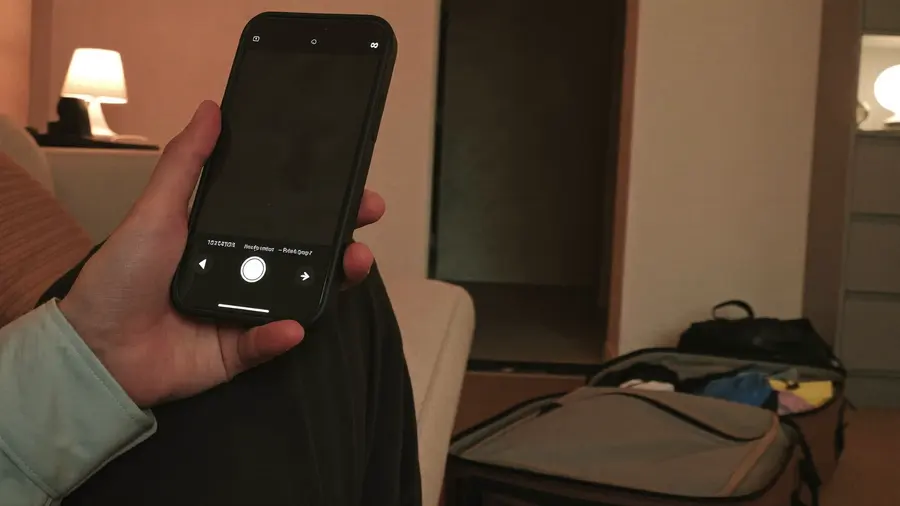
Over home Wi-Fi, days before the trip, with the bag still half packed. Nothing has started and nothing is being charged — the profile simply sits on the phone waiting for a network it will not meet until you land.
What Actually Happens When You Install One
The install feels like magic, which is exactly why it makes people nervous. It is not magic. Four things happen, in order:
- You get an activation code. Behind the QR image is a plain line of text that starts with
LPA:1$, followed by a server address and a one-time token. - Your phone reads it. Every eSIM-capable phone runs a small piece of software called the LPA — the Local Profile Assistant. It is the thing behind SettingsMobile DataAdd eSIM.
- The phone calls the server. The address in the code points at an SM-DP+ server, where the mobile network has prepared your profile and is holding it. The token says which one is yours.
- The profile downloads and installs. The phone shows you what it is about to add, you confirm, and a new line appears in your settings.
The whole exchange takes a few seconds and needs an internet connection — Wi-Fi at home is ideal. Installing does not start your plan, and it does not use any of your data. It only puts the profile on the phone.
The QR Code Is Not the eSIM
This is the single most useful thing to understand, because it explains almost every problem people run into. The QR code is a container for that line of text and nothing more. Scanning it and typing the same details in by hand are identical operations — which is why every eSIM comes with a manual option, and why buying on the phone you are actually travelling with lets you skip the code entirely and install with one tap.
It also explains why an eSIM installs only once. The token is single-use: the moment the profile is delivered, the server invalidates it. Screenshot the code, keep it, frame it — it will not install a second time on a second phone. Install it on the handset that is going in your pocket.
The hardware is permanent and the subscription is software. Everything else about an eSIM follows from that one sentence.
eSIM vs the Plastic SIM
| eSIM | Physical SIM | |
|---|---|---|
| Form | Built into the phone | Plastic card in a tray |
| Delivery | Instant, by eMail | Shop, kiosk or post |
| Setup | One tap, or one scan | Ejector tool and a swap |
| Your home number | Stays in the phone and stays reachable | Comes out and goes in your wallet |
| Can be lost | Never | Easily, usually in a hotel room |
| Changing network | A menu | A new card |
The row people underestimate is the third from the bottom. With a travel eSIM your home SIM never leaves the phone, so your usual number keeps ringing and keeps receiving bank verification codes for the entire trip — while your data runs on the travel plan. With a local plastic SIM bought abroad, your home number spends the holiday in a hotel drawer.

A Normal Travel Day, Start to Finish
-
The evening before, on the sofa
You buy a plan for where you are going. It arrives in seconds. You install it over home Wi-Fi — one tap if you bought it on your phone, one scan if you did not. Your phone now shows two lines. Nothing has started, nothing is being charged, and nothing has changed about how the phone works today.
-
Optional, while you are there
Label the new line something obvious. Travel works. Then leave your home line as the default for calls and messages, so nothing about your daily use changes before you fly.
-
The moment you land
Take the phone off aeroplane mode. In your mobile data settings, choose the travel line for data and turn data roaming on for that line. Then turn data roaming off on your home line — this is the one step that actually costs people money when they skip it, and it takes four seconds.
-
Within a minute or so
The travel line registers on a local network and the carrier name at the top of your screen changes. That first connection is what starts the clock on your plan. A seven-day plan that first connects at 14:55 runs out at 14:55 seven days later — so buying early costs nothing, and there is no reason to leave it until the airport.
Five Things That Catch First-Time Users Out
1. A Carrier-Locked Phone Will Refuse It
If your handset was subsidised by an operator and is still locked to them, it will reject a foreign eSIM even though the hardware supports one perfectly well. This is a contract restriction, not a technical one. Ask your operator — unlocking is usually free once the phone is paid off, and it can take a day or two. Which is why this is worth checking before you book anything, not the night before you fly.
2. Install over Wi-Fi, at Home — Not at the Gate
The install needs a working internet connection. Airport Wi-Fi is the worst place to depend on one: captive portals, timeouts, and a queue behind you. Do it the day before, in a room with a router.
3. Most Travel eSIMs Are Data Only
A data-only plan has no phone number of its own, which means no ordinary outgoing calls and — more importantly — no SMS verification codes arriving on it. In practice this matters less than it sounds, because messaging and calling apps run over data perfectly well and your home number is still in the phone receiving texts. But if you want a local number for restaurant bookings, taxis or a delivery driver, choose a plan that includes voice and SMS rather than assuming.
4. Deleting the Profile Deletes the Plan
Removing an eSIM from your settings is not like taking a card out of a tray. Because the activation code is spent, a deleted profile generally cannot be reinstalled — and any data still left on it goes with it. Leave it in place until the trip is over.
5. Two Lines Means Choosing Which Does What
Dual-SIM phones ask which line to use for calls, for messages and for data, and they ask in three separate settings. The combination you want abroad is almost always: home line for calls and texts, travel line for data, roaming off on the first and on for the second.
Does Your Phone Have One?
Almost certainly, if it was bought in the last few years. Apple has shipped eSIM support since the iPhone XS and has been removing the tray ever since: US models have had no SIM slot since the iPhone 14, the list of eSIM-only markets has grown to roughly a dozen, and the iPhone Air is the first model sold with no tray anywhere in the world. On the Android side, Pixel and recent Samsung flagships have supported eSIM for years, and since Android 13 a feature called Multiple Enabled Profiles lets a single eSIM chip run two lines at once — which is what makes the home-line-plus-travel-line setup above work with no plastic card involved at all.
Storage is rarely the limit either. Most modern phones hold several profiles at a time and let one or two of them be active, so last year's trip does not have to be deleted to make room for this one.
Rather than guess from a model name — some models differ by region, and a carrier lock does not show up on a spec sheet — check the phone in front of you. Our device compatibility checker answers it in a few seconds.
eSIM or Roaming?
Roaming has genuinely improved in places. Travel inside the EU on an EU contract and your home allowance usually comes with you at no extra cost, and for those trips a travel eSIM is optional rather than necessary. The picture changes the moment you leave that bubble: outside a roaming agreement you are on your operator's out-of-bundle rates, which are set per megabyte, applied after the fact, and discovered on a bill you cannot negotiate.
A travel eSIM inverts that risk. It is prepaid, so the amount you agreed to at checkout is the last number you see. It cannot generate a surprise, because there is nothing to bill against afterwards. And because plans are sold per destination rather than as one global add-on, you pay for the data you will actually use in the place you are actually going.
That is also the argument for buying from a marketplace rather than from a single network. Several mobile networks cover the same destination, and their plans differ in price, allowance and validity in ways that are only obvious side by side. Comparing them on one page takes a minute and is the closest thing to a free lunch in travel connectivity.

A single short hop inside your own roaming zone is the clearest case for doing nothing at all. The honest answer is sometimes that your existing plan already covers it.
When an eSIM Is Not the Right Answer
Three honest cases:
- Your phone is locked, or too old to support one. There is no workaround. A local prepaid card on arrival is the answer, or an unlock before you leave.
- You genuinely need a local number. Some banks, delivery apps and government services abroad will only send codes to an in-country number. A data-only plan cannot receive those; a plan with voice and SMS, or a local prepaid card, can.
- You are staying for months, not weeks. Travel plans are priced for trips. At some point a local contract wins on price, and that point arrives sooner than most people expect.
Common Questions
Do I lose my phone number?
No. Your home SIM or eSIM stays in the phone and stays active. A travel eSIM is added alongside it, not instead of it.
Can I install it before I travel?
Yes, and you should. Installing does not start the plan — the clock starts when the eSIM first connects to a network at your destination.
What if I change phones mid-trip?
Assume you cannot move the profile. Some operators support a re-issue and many do not, because the activation code is spent. If you are travelling with a spare handset, decide before you install which one is the real one.
Does it work with a hotspot?
On most plans, yes — sharing to a laptop or to a travel companion works normally. It is worth confirming on the plan itself, as a few networks restrict tethering.
What happens when the data runs out?
The line simply stops carrying data. Nothing overdraws and nothing is charged automatically. You top up, add another plan, or find Wi-Fi.
Where to Start
If you have read this far, you already understand eSIMs better than you need to in order to use one. The practical sequence is short: check that your phone is eSIM-capable and unlocked, pick the destination you are flying to, compare what the networks there are charging, buy, and install over Wi-Fi before you leave. Everything after that is one toggle in an arrivals hall.
Two articles pick up where this one stops: how to install an eSIM walks through all three installation methods on iPhone and Android and what each error message means, and how much data you actually need replaces the guess with arithmetic. For the full reference — plan types, the glossary, device compatibility — see our complete guide to what an eSIM is and how it works.
Browse plans by destination Compare the networks covering your trip side by side, with live prices.