
The install guides all stop in the same place. The profile downloads, a second line appears in your settings, and you are told to enjoy the trip. What none of them covers is the far more common thing that happens afterwards: the phone changes. It gets upgraded, dropped, wiped, sold, sent away for repair, or it simply stops being on the table outside the café.
At that point most people reach for the instinct every other file on the phone has taught them. Copy it across. Restore it from the backup. Dig out the screenshot of the QR code. None of that works, and the reason is not a restriction somebody decided to impose. Here is what each kind of handset change actually does to an eSIM, and what to settle before you hand a phone to anyone.
Key takeaways
- An eSIM lives in a chip, not in an account. There is no file to copy and no backup that contains it.
- A transfer is a fresh delivery, not a duplicate. The old profile is switched off as the new one comes on.
- Every transfer path assumes the old phone is awake, unlocked and in the room — which is exactly what a lost or dead phone is not.
- Erasing a profile is not the same as cancelling the plan, and doing one does not do the other.
- The recovery route is always whoever issued the plan, so find out what yours is while the phone still works.
A Profile Is Not a File
An eSIM profile is not stored the way your photographs are. It sits in a small, separate secure chip soldered to the phone's board, and it is not a document that happens to live there — it is a set of credentials issued to that chip. The network prepares the profile on a server, waits for one specific device to ask for it, and delivers it there. The activation code you scanned was never the eSIM. It was an address and a single-use token that pointed at the right parcel, and the token was spent the moment the parcel arrived. Our walkthrough of what actually happens during an install follows that exchange step by step.
A photograph is a copy of something. A profile is a key cut for one lock.
Everything below follows from that one difference. A new phone is a new lock, so it needs a new key, and only the locksmith can cut one.
Transfer, Re-Issue and Reinstall Are Not the Same Thing
These three words get used interchangeably by travellers and never by the people answering support messages, which is one reason those conversations go badly. They describe three different operations with three different requirements.
| Word | What it does | Who does it |
|---|---|---|
| Transfer | Moves a live line to a second phone | The phones, if the network allows |
| Re-issue | Makes a fresh profile for the same line | The network, on request |
| Reinstall | Runs the original code a second time | Nobody. The code is spent |
Knowing which of the three is available to you decides the entire outcome, and it is worth finding out before you need it rather than during the week you do.
What a Phone-to-Phone Transfer Actually Does
Both major platforms will move a line between handsets, and both describe the conditions plainly. Apple's requirement is that the carrier supports the feature at all: if it does, you can move the SIM from the previous iPhone to the new one without contacting anyone. Beyond that it asks for both devices signed in to the same Apple Account, the old phone unlocked with its passcode, both devices nearby with Bluetooth on, and both running a recent version of iOS.
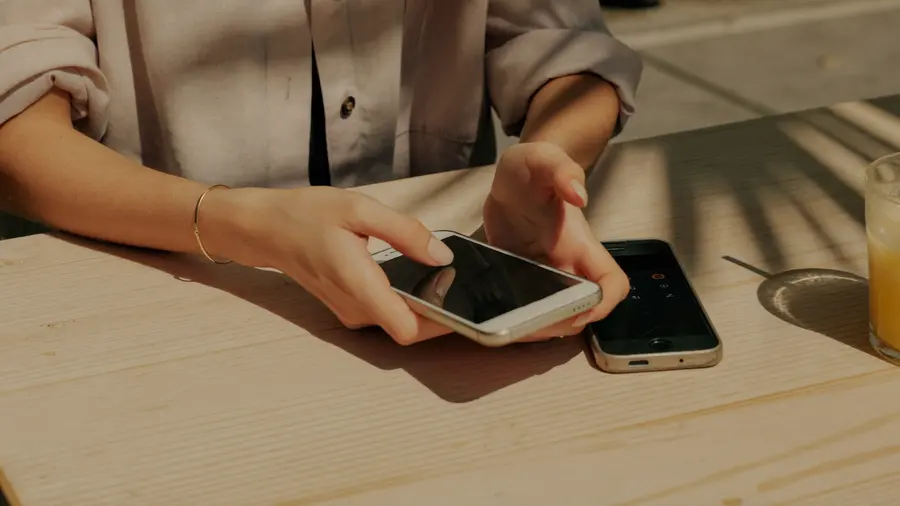
The transfer is a conversation between two working devices and a network. Take any one of the three away and the path is not slow — it is closed.
Google's Pixel instructions read almost identically: both devices on Android 12 or later, current Google Play services, a screen lock set on each, and the other device near. Google is also unusually clear about the failure case. If the transfer is not detected automatically you are told to contact your carrier to activate the eSIM, and reassured that the existing device or eSIM can still work even if the transfer is unsuccessful.
The important sentence is Apple's description of what success looks like: when the plan on the new iPhone activates, it deactivates the previous SIM. That is not a copy being made. It is a new profile being delivered to a new chip while the old one is retired — which is why a transfer needs the network's cooperation and a photograph does not. Whether a given handset can hold a profile at all is a separate question again, and the fastest way to answer it is our device compatibility checker.
Why a Travel Plan Is the Least Likely to Move
Here is the part the install guides really do skip. Transfer was built for a home subscription: an account with a name on it, a phone number, a contract and someone to ring. A data plan bought for a fortnight abroad usually has none of those. There is no number to port, often no account in the traditional sense, and no agent standing by to authorise a device swap on a Sunday.
So the honest planning assumption is that a travel eSIM stays on the handset you installed it on — not because it is second class, but because transfer was built around something a short prepaid plan does not have.
That turns into two practical habits. If you are upgrading and travelling in the same month, do them in that order: get the new phone settled first, then buy the plan on the device that is actually going in your pocket. That is easier when you can see what is available for where you are going and set it up in one sitting, on the right phone, on home Wi-Fi.
What a Factory Reset Destroys, and What It Asks First
The common belief is that wiping a phone silently destroys the eSIM. It is close enough to true to be dangerous and wrong enough to be worth correcting.
Apple's own guidance is that when you erase all content and settings, you can choose to erase the eSIM or keep it. Keep it, and the profile survives the wipe on the same chip in the same phone. Erase it, and you are on the other path entirely: erase an eSIM and you will need to contact your carrier to get a new one. Apple goes further and warns against reaching for it casually — do not erase an eSIM as a troubleshooting step unless your carrier tells you to.
There is a second distinction almost nobody makes, and Apple states it outright: if you want to cancel a cellular plan, erasing the eSIM does not do it — you still have to contact the carrier to cancel. It is entirely possible to destroy your access to a plan and go on being billed for it.
When the Phone Is Lost, Stolen or Dead
Reread the transfer conditions with this event in mind. Both devices signed in. The old phone unlocked with its passcode. Both nearby. Every one of those assumes the previous handset is awake, unlocked and next to the new one.

So a transfer is not a recovery tool. It is an upgrade tool, and it only works during the window when nothing has gone wrong. Once the phone is gone, drowned or refusing to light up, there is exactly one route left and it is a re-issue by whoever provided the plan.
The design has a genuine upside, easy to miss while you are annoyed. Nobody can pull a profile out of a stolen phone and use it in another one, the way a card could be lifted out of a tray and dropped into a handset in the next street. The credentials cannot leave the chip. That protection and your own inability to retrieve them are the same property seen from two sides.
Two calls, in this order. Tell whoever provides your home line, so it can be suspended. Then deal with the travel plan, which is a separate issuer with no bearing on the first.
What Changes at the Repair Counter
Two sentences from Apple's service guidance describe the whole shift. If the iPhone uses a physical SIM, remove it and keep it somewhere safe. If it uses an eSIM, contact your provider to suspend service. One is a pocket. The other is somebody else's opening hours.
The profile is held on the main board, so a repair that replaces the board replaces the chip it lived on. The phone comes back looking identical and working perfectly, and the line is not on it. Ask which components are being changed before you agree to the work: for your eSIM, a board replacement is a phone change.
Why a Screenshot of the Code Will Not Save You
The screenshot is the most reasonable-looking mistake in this whole article, because it is the thing that would work for almost any other kind of credential.
Behind the QR image is a line of text: a server address plus a one-time token that says which profile is yours. The instant the profile is delivered, the token is invalidated. The picture in your camera roll is a receipt, not a spare key. It will not install on a second phone, and it will not reinstall on the same phone after the profile has been deleted. If that mechanism is new to you, our explainer on how eSIMs work sets out the whole exchange.
Before You Hand a Handset Over
Whether the phone is going to a buyer, a repair counter or a drawer, the sequence is the same and none of it takes long.
-
Decide where the line is going first
A sale, a trade-in and a repair have different answers. Work out whether the line moves, is suspended, or is being finished with before you touch any settings.
-
Do the transfer while both phones still work
If a transfer is available at all, this is the only window it exists in. On iPhone the option lives under SettingsCellularAdd eSIM; on a Pixel, under SettingsNetwork and internetSIMs.
-
Prove the new phone is live before wiping the old one
Make a call, send a message and load a page on mobile data. A line that shows in settings is not the same as a line that works.
-
Erase the profile deliberately, not by tapping through
Manufacturer guidance is to erase the eSIM when a device is going to somebody else. Do it as its own decision, once the line is confirmed elsewhere.
-
Cancel the plan separately if you are done with it
Erasing a profile ends your access, not the agreement. If the plan should stop, say so to whoever sold it.
Almost every bad outcome in this article is a step done in the wrong order rather than a step missed. Confirm first, erase second.
Common Questions
Can I Put the Same eSIM on Two Phones?
No. A profile is issued to one chip and cannot exist on two at once, which is why a successful transfer switches the old one off as the new one comes on. Two working phones means two separate plans, not one plan shared.
Does a Backup Restore Bring My eSIM With It?
No. A backup captures apps, photographs, messages and settings. The profile lives in a separate secure component that the backup does not read, so a restored phone arrives with everything except the line.
If I Erase the eSIM, Have I Cancelled the Plan?
No, and the two are worth keeping apart in your head. Erasing removes your ability to use the plan. Cancelling ends the agreement, and it is done by telling whoever sold it to you. Doing the first does not do the second.
What If the New Phone Has No SIM Tray at All?
Then the fallback most travellers rely on is gone with it, because you can no longer solve a bad afternoon by buying a card over a counter. We have written about what a missing tray changes for a traveller in full.
What It Comes Down To
The chip is the account. Not the app, not the email confirmation, not the picture of the code — the small soldered component in one particular phone. Every strange rule in this article is that single fact wearing a different hat, and once you hold it, none of the outcomes are surprising any more.
Which leaves one question to answer while everything is still working, and it is the same question for an upgrade, a repair, a theft and a sale. If this phone stopped existing this afternoon, who would re-issue what is on it, and how long would that take? A traveller who can answer that has done the difficult part. Everyone else finds out at the worst possible moment, in a country where the reply arrives in the middle of the night.
Set it up on the phone that is actually travelling Coverage and live prices for every destination we sell, so you can install it at home on the handset going in your pocket.